
Key Takeaways
- A pharmacy counter isn’t just a billing point, it’s the place where batch numbers, expiry dates, and prescription records all have to come together correctly, every single time.
- Generic retail POS software can bill a customer, but it usually can’t track which batch a strip came from or warn a pharmacist before stock expires.
- Smart POS for pharmacies combines billing, inventory, GST compliance, and expiry tracking into one system, instead of forcing owners to manage them separately.
- Manual billing and spreadsheet-based stock tracking scale badly. A single data entry error at the counter can throw off inventory counts for weeks.
- The right pharmacy POS software pays for itself through fewer stockouts, less expired inventory, and faster billing during peak hours.
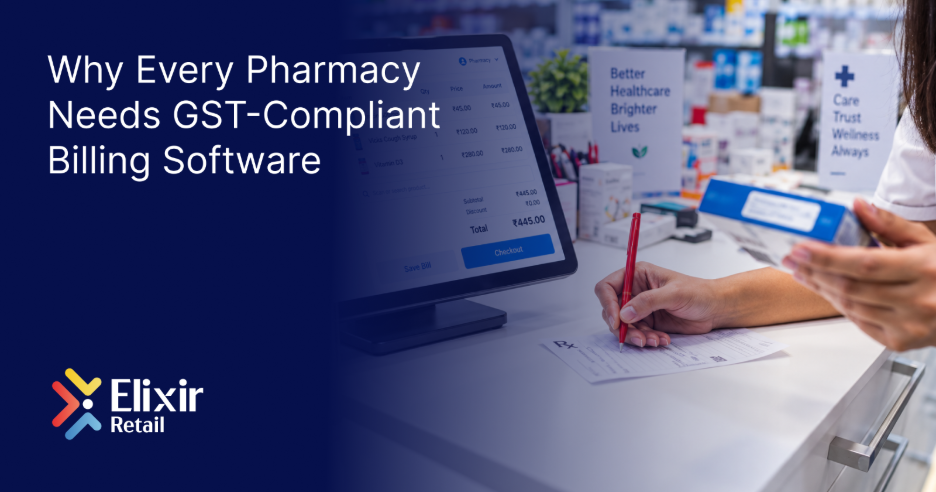
Walk into most pharmacies on a busy evening and the counter tells a story: a queue of customers, a pharmacist juggling prescriptions, and a billing system that’s either helping or quietly getting in the way. For a business that sells time-sensitive, regulated products, the point-of-sale system isn’t a back-office convenience, it’s the control center for the entire store. Running a pharmacy on a system that wasn’t built for one usually shows up as small, repeated losses that are easy to miss until they add up.
This blog looks at why smart POS matters specifically for pharmacies and medical stores, what separates purpose-built pharmacy software from a generic retail billing tool, and what to look for before switching.
Why a Regular POS Falls Short for Pharmacies
Most billing software is built around a simple assumption: a product is either in stock or it isn’t. That works fine for a t-shirt or a packet of biscuits. It doesn’t work for a strip of tablets that’s sellable today and unsellable in three months.
A pharmacy counter needs to answer questions a generic POS was never designed to ask: which batch is this stock from, when does it expire, is it a scheduled drug that needs a prescription record, and does the GST rate on this SKU match its HSN code. When a POS can’t answer those questions natively, pharmacists end up tracking them separately, in registers, spreadsheets, or memory, which is exactly where errors creep in.
This is also why inventory management for medical stores looks so different from inventory management in other retail categories. The stakes aren’t just financial; they’re regulatory and, ultimately, about patient safety.
What Smart POS Actually Does for a Pharmacy
1. Batch and Expiry Tracking Built Into Billing
Every unit sold should be traceable to a batch number and expiry date, captured at the point of purchase, not added later. Smart POS ties this data to billing directly, so a pharmacist isn’t cross-checking a separate register while a customer waits.
2. Automated Near-Expiry Alerts
Rather than discovering expired stock during a physical count, a smart system flags near-expiry batches with enough lead time to return them to the distributor or move them through sale. That lead time is often the difference between a return and a write-off.
3. Prescription and Doctor Records
For scheduled and prescription-only medicines, POS software that stores doctor and prescription details against a sale makes compliance simpler and gives the pharmacy a searchable record if it’s ever needed again.
4. GST-Ready Billing by Default
Pharmaceutical products carry a mix of GST rates and HSN codes. A billing system that applies the correct rate automatically, rather than leaving it to manual entry, cuts down on billing errors and makes returns filing considerably less painful.
5. Strip-Level and Loose Tablet Sales
Pharmacies routinely sell partial strips. POS software that only tracks whole units forces workarounds at the counter. Support for loose and strip-level billing keeps stock counts accurate even when a customer only needs four tablets, not ten.
6. Real-Time Stock Across Counters
For pharmacies running more than one counter or branch, real-time stock visibility means a customer isn’t turned away for a medicine that’s actually available a few counters over. This mirrors what already matters for barcode-driven billing systems across other retail formats, applied to a category where availability can be urgent.
7. Reports That Reflect Actual Dispensing
Reorder decisions are only as good as the data behind them. Smart POS reporting shows what’s actually moving, by SKU and by season, so restocking follows real demand instead of a guess.
Smart POS Checklist for Pharmacy Owners
- Batch number and expiry date captured at the point of billing
- Automated near-expiry alerts with usable lead time
- Prescription and doctor record storage
- GST-ready billing with correct HSN mapping
- Support for both strip and loose tablet sales
- Real-time stock sync across counters or branches
- Reporting built around actual dispensing trends, not estimates
The Cost of Sticking With Manual or Generic Systems
None of these gaps show up as one dramatic loss. They show up as a few expired strips written off each month, a GST return that takes longer than it should, a customer turned away for stock that was actually available at another counter, and a pharmacist spending evenings reconciling a register that should already match the shelf. Individually, each is small. Over a year, they add up to a meaningful dent in margin, and a fair amount of avoidable stress at the counter.
Pharmacies aren’t alone in facing this shift. Retailers across categories, from supermarkets to appliance stores, are moving toward POS systems built for their specific stock and compliance needs rather than generic billing software stretched to fit. Pharmacy just happens to be one of the categories where the gap between “generic” and “purpose-built” matters the most.
How Elixir Retail 360 Supports Pharmacies
Elixir Retail‘s medical shop software is built around the parts of running a pharmacy that generic POS tools tend to miss: automated expiry reporting, batch-wise tracking with rack management, and support for both strip and loose tablet inventory. It stores doctor and prescription records against each sale, applies GST automatically, and gives owners a real-time dashboard for sales, stock, and revenue across every counter.
It runs on the same retail billing software platform used across Elixir’s 12 retail verticals, so pharmacies that also run allied retail lines get one consistent system instead of several disconnected ones.
If your pharmacy is still managing batches, expiry, and GST across separate registers and spreadsheets, book a free demo and see how a purpose-built system fits your counter.
Frequently Asked Questions
What makes pharmacy POS software different from regular retail POS?
Pharmacy POS software tracks batch numbers and expiry dates at the point of billing, stores prescription and doctor records, and applies GST rates specific to pharmaceutical products, none of which a generic retail POS is built to handle by default.
Can smart POS software reduce expired medicine losses?
Yes. Automated near-expiry alerts with enough lead time let pharmacies return stock to the distributor or sell it through normal channels before it becomes a straight write-off, rather than finding out only during a physical stock count.
Does pharmacy POS software support GST billing?
A well-built pharmacy POS applies the correct GST rate and HSN code automatically at billing, reducing manual errors and simplifying returns filing, which matters given how many different GST rates apply across pharmaceutical SKUs.
Is prescription tracking necessary in POS software?
For scheduled and prescription-only medicines, yes. Storing doctor and prescription details against each sale supports compliance and gives the pharmacy a searchable record without relying on a separate paper log.
How does smart POS help pharmacies with multiple counters or branches?
Real-time stock sync across counters means staff can check availability at another counter instead of turning a customer away for stock that’s actually in the store, just not at that specific location.
A pharmacy’s POS system touches almost everything that keeps the business compliant and profitable, from expiry tracking to GST filing to the speed of the checkout line itself. Moving to a system built specifically for pharmacies isn’t an overnight overhaul; it’s usually a matter of getting batch, expiry, and prescription tracking right at the counter first, and letting the rest follow from there.